Folko themes: original palettes and colours from your country’s flag.
Change the colours of your money app. Pick an original palette, or a country theme built from that flag’s official colours. Every theme has a light and a dark version, and Amber is free.
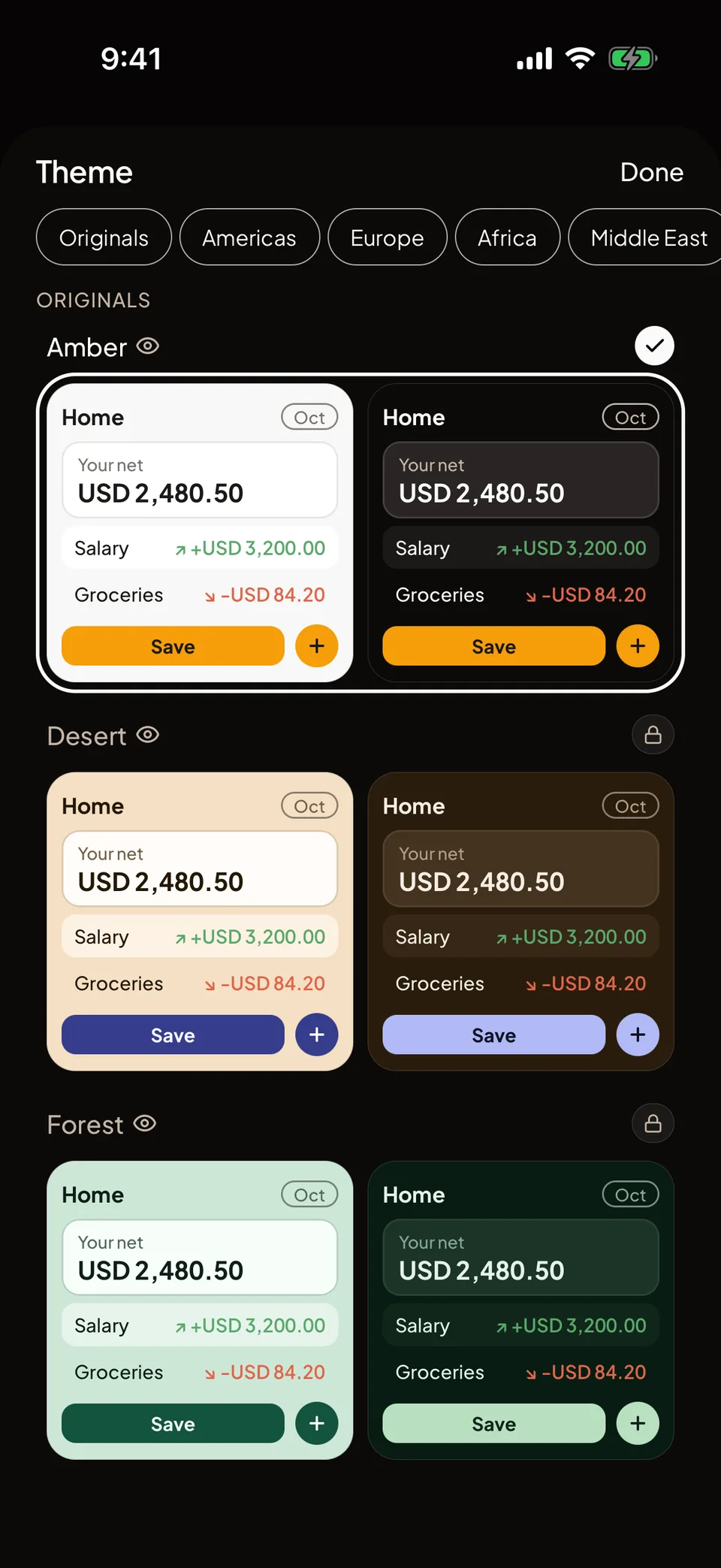
Which themes come with which plan?
Free: the Amber theme. Plus: every other Original. Max: the country themes as well, along with everything in Plus.
Light and dark appearance are on every plan. Under Appearance you can follow your phone’s setting or choose Light or Dark yourself, and each theme has a palette for both.
Changing the theme never touches your Transactions, Cashbooks or Balances. It only changes how Folko looks.
What is the difference between Originals and country themes?
The Originals are named palettes: Amber, Forest, Lagoon, Midnight, Velvet, Neon, Vinyl and others. They are grouped under Originals in the picker, with Amber first.
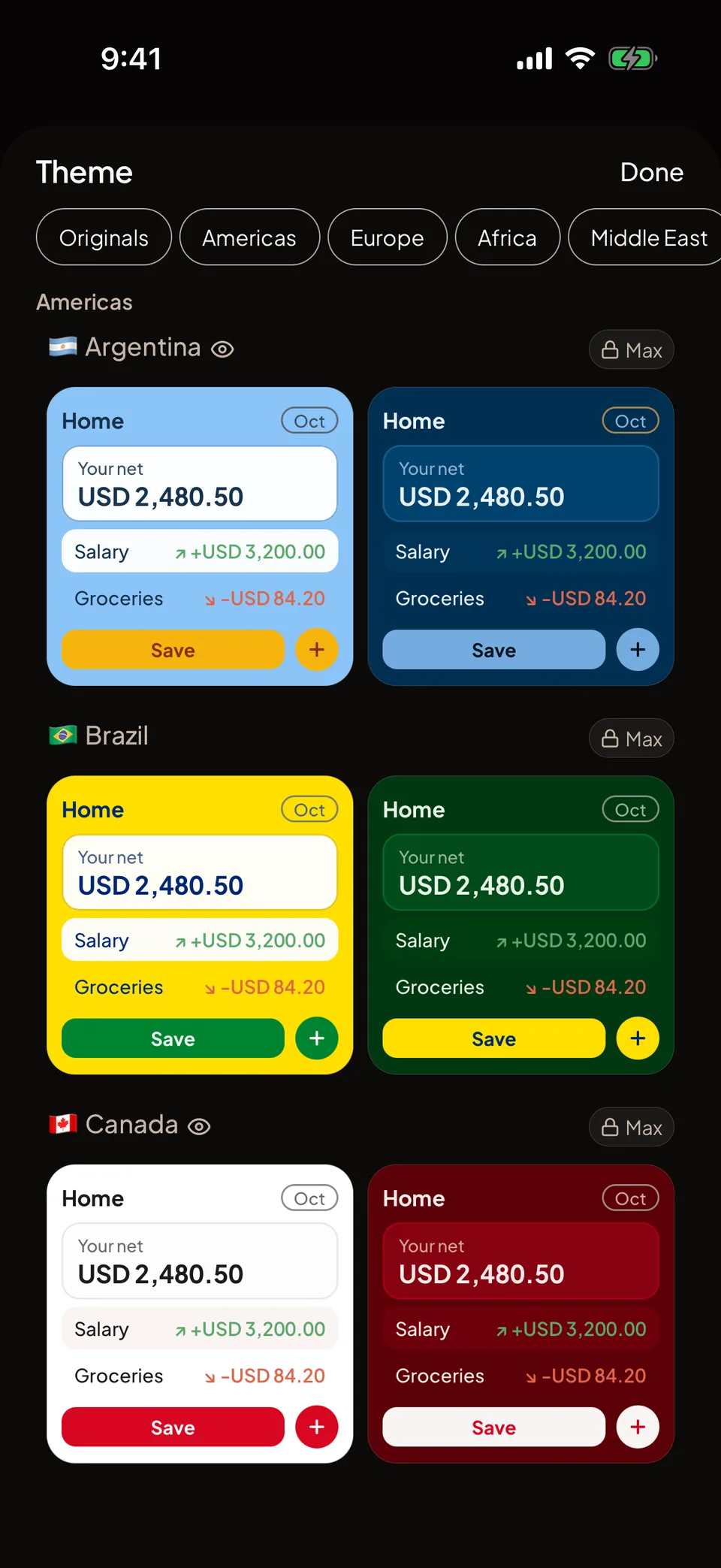
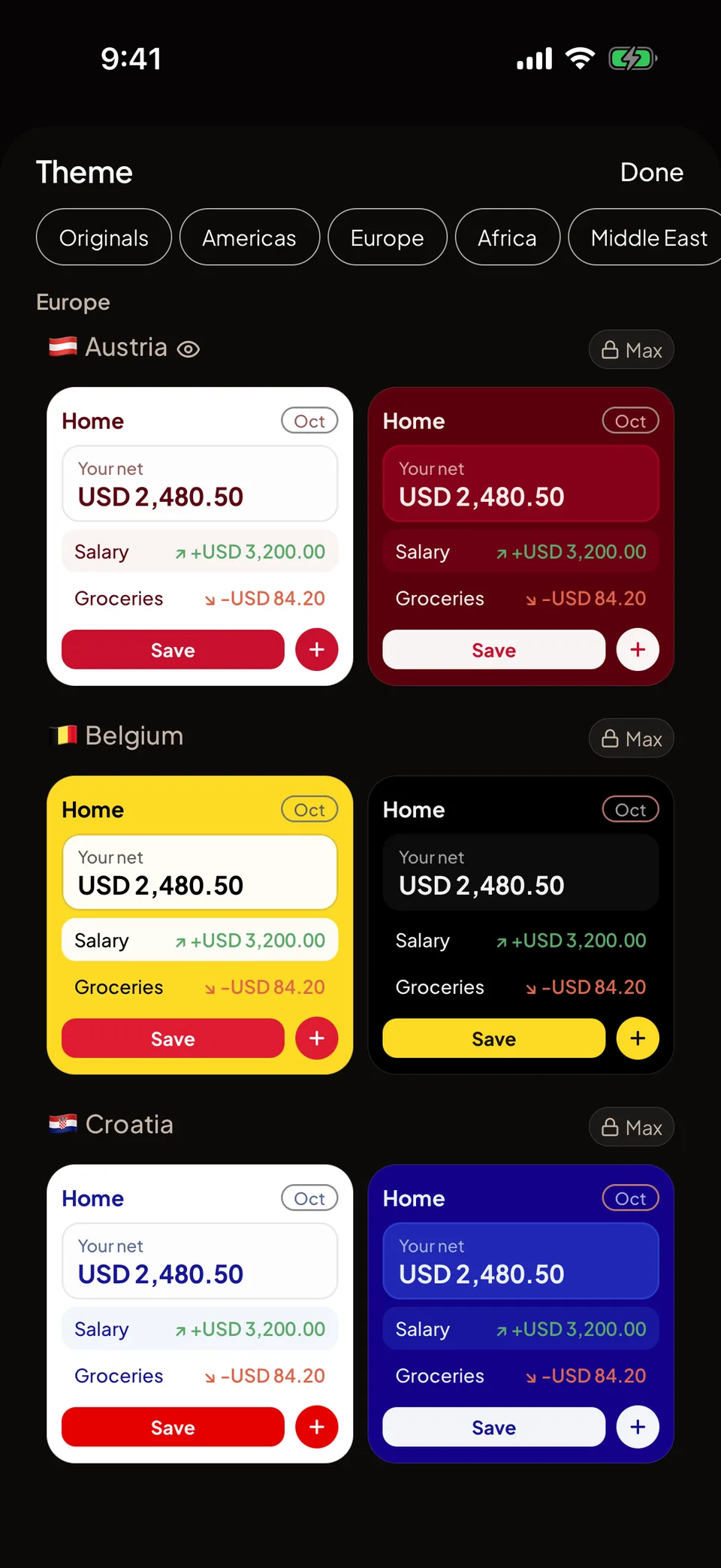
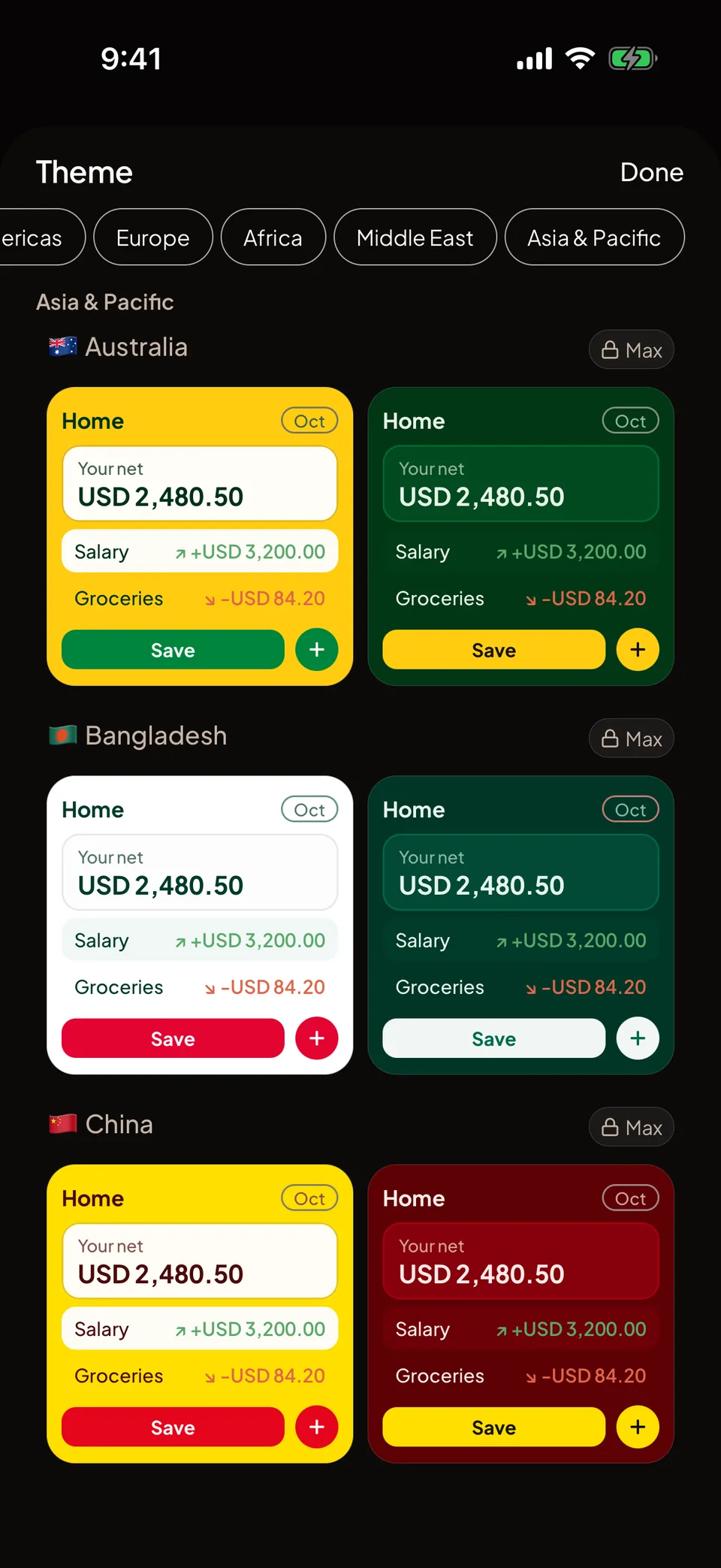
A country theme starts from the colours of that country’s flag. The page, the text, the Save button and the outlines are filled from the official colours, and a colour is moved only as far as readability requires. The flag itself is never drawn. The picker shows the flag emoji from your phone beside the country’s name.
Countries are grouped by region, with a chip to jump to each one: Americas, Europe, Africa, Middle East, and Asia and Pacific. Inside a region they are sorted by name in your app language. England, Scotland and Wales each have a theme of their own.
Can I still read my numbers on every theme?
Yes. The same contrast floors apply to every theme: body text at 4.5 to 1, outlines at 3 to 1, and button labels at 4.5 to 1. A theme that cannot meet them is adjusted until it does.
Income and expense keep the same two colours in every theme, light and dark. An accent colour is also kept clearly apart from them, so a theme never makes an expense look like income.
Some themes are marked Colour-blind friendly. The badge is measured against simulated red-green colour blindness and is not a label we choose. Themes without it are still usable, because every amount also carries a plus or minus sign and an arrow.
How do I change the theme?
Open Profile
Under Preferences, tap Theme. Appearance, just above it, switches between System, Light and Dark.
Browse the picker
Each theme appears as a light and a dark Home screen side by side. Use the chips at the top to jump between Originals and the regions.
Tap a theme
If your plan includes it, the app changes at once and the choice is saved. If it does not, you see the app in that theme as a preview, with an Upgrade button. Plus opens for an Original, and Max for a country theme.
Themes, answered.
Which theme is free?
Amber is free on every plan. The other Originals come with Plus and Max. The country themes come with Max.
Does Folko draw my country’s flag?
No. A country theme takes its colours from the flag, and the picker shows the flag emoji from your phone next to the name. The flag itself is never drawn in the app.
What happens to my theme if I downgrade?
On Free, a paid theme goes back to Amber. On Plus, a country theme becomes the nearest Original. Light and dark appearance stay available on every plan.
Can I try a theme before I pay?
Yes. Tap a theme your plan does not include and the app shows it in that theme as a preview. It is not saved, and closing the picker ends the preview.
Coming to iOS and Android.
Free forever. Send us a note and we’ll write back the day it’s out.
Notify me at launch