Switch from Splitwise without starting over.
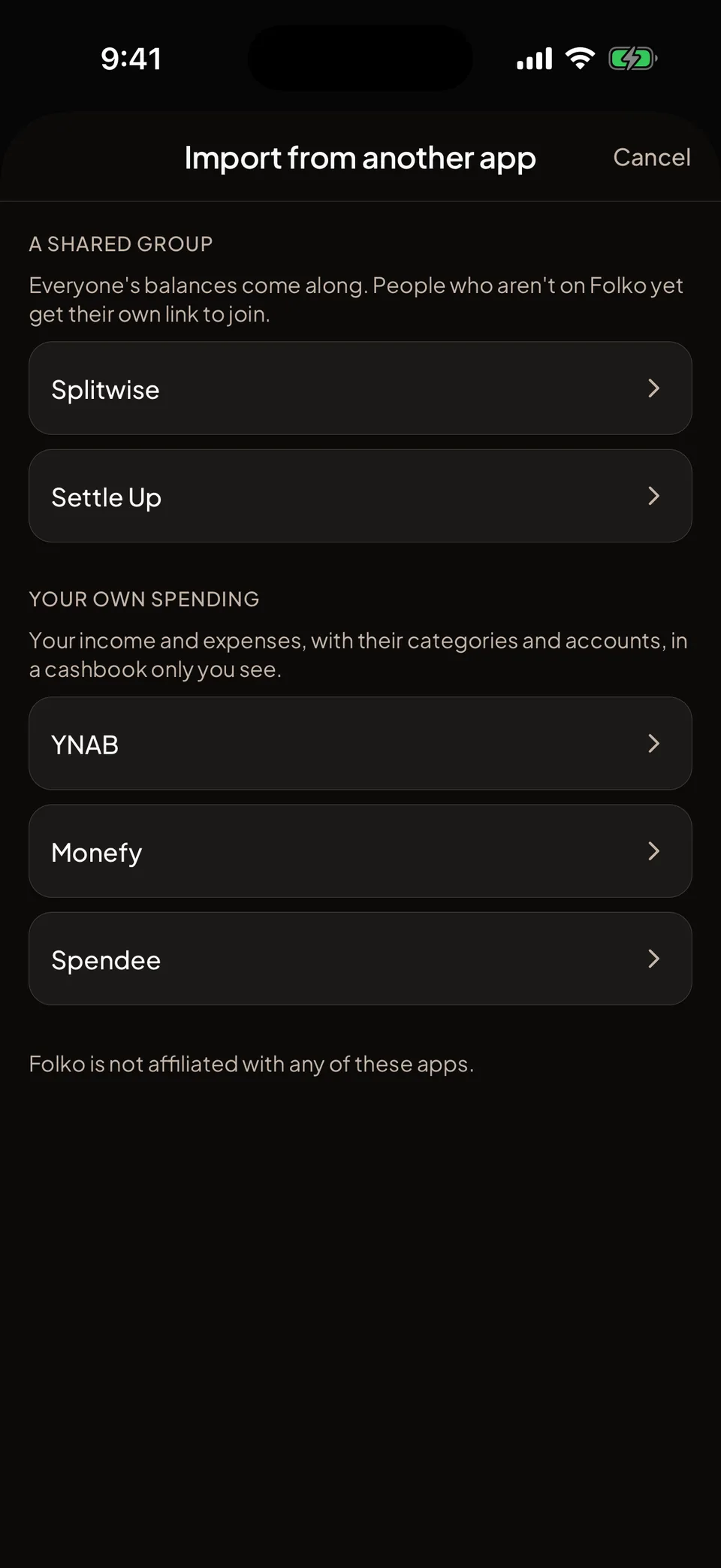
Folko turns a Splitwise group export into a new cashbook with its transactions, payments, people and balances. It also reads a Settle Up group export, and the history files from YNAB, Monefy and Spendee. Importing is free on every plan.
How do I move a Splitwise group?
Export the group
In Splitwise, open the group, tap the gear and choose Export as spreadsheet. Save the file.
Start the import in Folko
Start a new cashbook and tap Import a group from Splitwise, then Choose file and pick the export.
Say which person is you
Folko asks Which one is you? Check the name and the currency, and confirm any exchange rates.
Review and import
Look over the summary and tap Import. Folko then checks that everyone’s balance matches the file’s totals.
What happens to the other people?
Everyone else in the group is added as someone who is not on Folko yet. Send each person their own join link, and their balance becomes theirs when they join.
Settle Up works the same way. In Settle Up, open the group, tap the three dots, choose Share & export, then Export group, and pick CSV.
Balances can be settled once everyone has joined, or after you remove whoever will not.
Can I bring my budgeting history too?
Yes, from YNAB, Monefy and Spendee. Each one becomes a new cashbook that only you can see, with your income and expenses, their categories and the accounts they came from. You can add members later.
In YNAB, choose Export Plan and pick the ZIP file it downloads. In Monefy, open Settings and choose Export to file. In Spendee, open More, choose Export, pick the wallet and the period, and choose CSV.
Transfers between your own accounts, starting balances and rows scheduled for later are not imported. The summary lists how many of each Folko left out.
Spendee exports an entry made in another currency already converted into the wallet’s currency, so Folko can only import the converted amount.
What should I know first?
Nothing is saved until you confirm. After saving, Folko checks what it wrote against the file and offers to delete the import if something differs.
The import needs a connection. The file can be up to 5 MB.
The new cashbook follows your plan. Free allows 4 members per cashbook and 3 currencies, Plus allows 30 members and unlimited currencies, and Max allows 100 members and unlimited currencies. The import also needs a free cashbook slot.
Folko is not affiliated with Splitwise, Settle Up, YNAB, Monefy or Spendee.
Importing, answered.
Does importing cost anything?
No. Importing is free on every plan. The limits of your plan still apply to the new cashbook: how many cashbooks you can have, members per cashbook and currencies per cashbook.
Do I need Splitwise to stay installed?
No. Folko reads the file you export, so nothing connects to Splitwise or asks for your Splitwise login. Folko is not affiliated with Splitwise.
What if I import the same group twice?
Folko tells you it is already there and adds only what is new.
What can’t be imported yet?
Refunds in a Splitwise group, and income rows in a Settle Up group. Folko names the line so you can remove it in the old app and export again.
Coming to iOS and Android.
Free forever. Send us a note and we’ll write back the day it’s out.
Notify me at launch