Track your income. Master your expenses. Split with anyone.

Every source in. Every expense out. Shared when it needs to be.

iOS and Android · Free forever · No ads · 15 languages

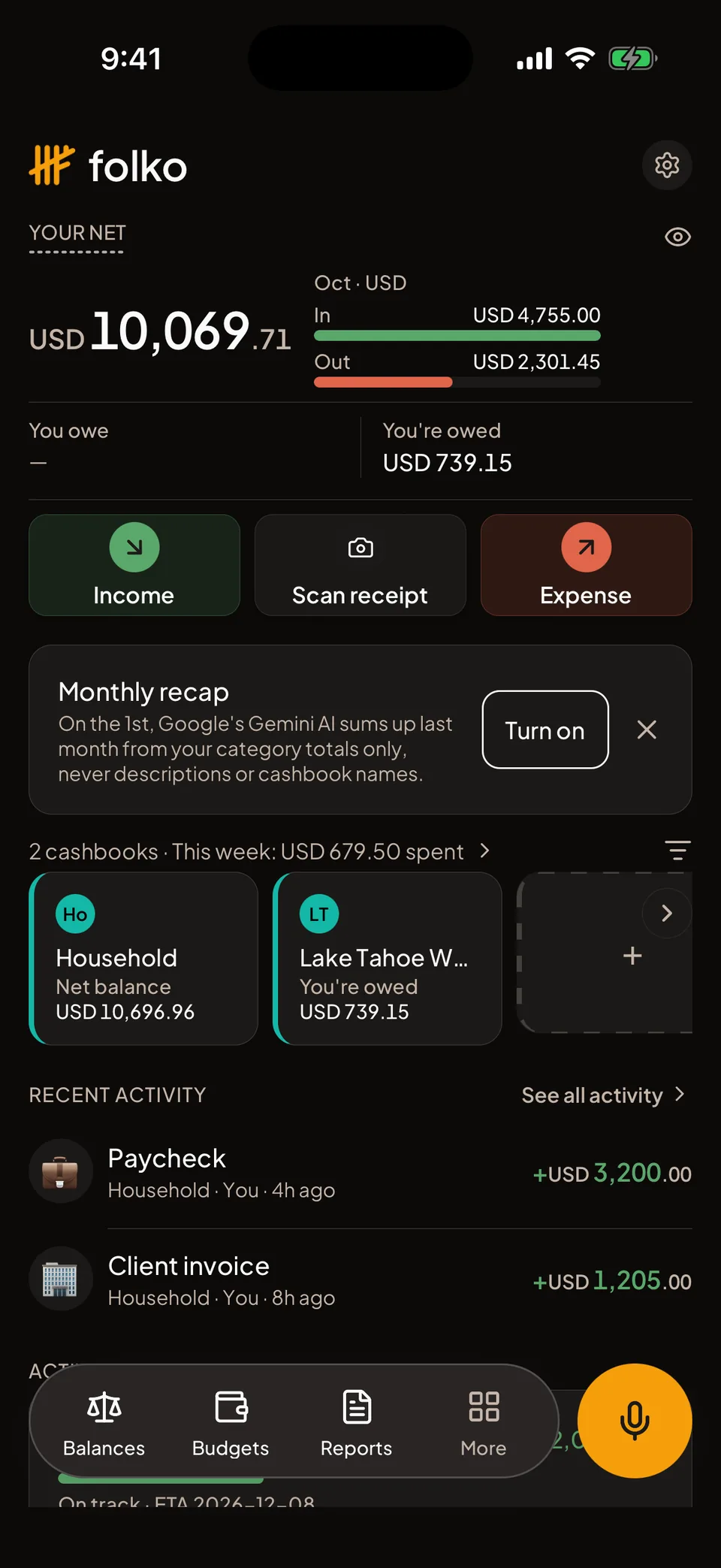
Folko Home: your net across cashbooks, this month's money in and out, and recent activity

Up and running in a minute.

Read the getting-started guide
  1. 1

    Sign in

    With your email, Google, or Apple on an iPhone. There is no password: email sign-in sends a 6-digit code.

  2. 2

    Make a cashbook

    One for home, one for a trip, one for a side job. Each keeps its own categories and currencies.

  3. 3

    Log what comes in and goes out

    Type it, say it, or scan the receipt. Recurring bills log themselves.

  4. 4

    Share, split and settle

    Invite people with a link, or add someone by name before they join. Smart Settle finds the fewest payments that clear every balance.

Your money and your shared money, in one app.

See every feature
Your money Shared money Bring it in
Track USD10,069.71 Your net, across every cashbook

What comes in and what goes out, in one place.

Keep a cashbook for home, one for a trip, one for a side job. Recurring transactions log themselves, Payment Alerts tell you on the day a bill is due, and budgets and savings goals fill up as you go.

  • Custom categories, per cashbook
  • Recurring transactions3 on Free · unlimited on Plus
  • Payment Alerts on the due dateEvery plan
  • Savings goals1 on Free · 5 on Plus · unlimited on Max
Home: net balance, money in and out this month, cashbooks and recent activity
Budgets

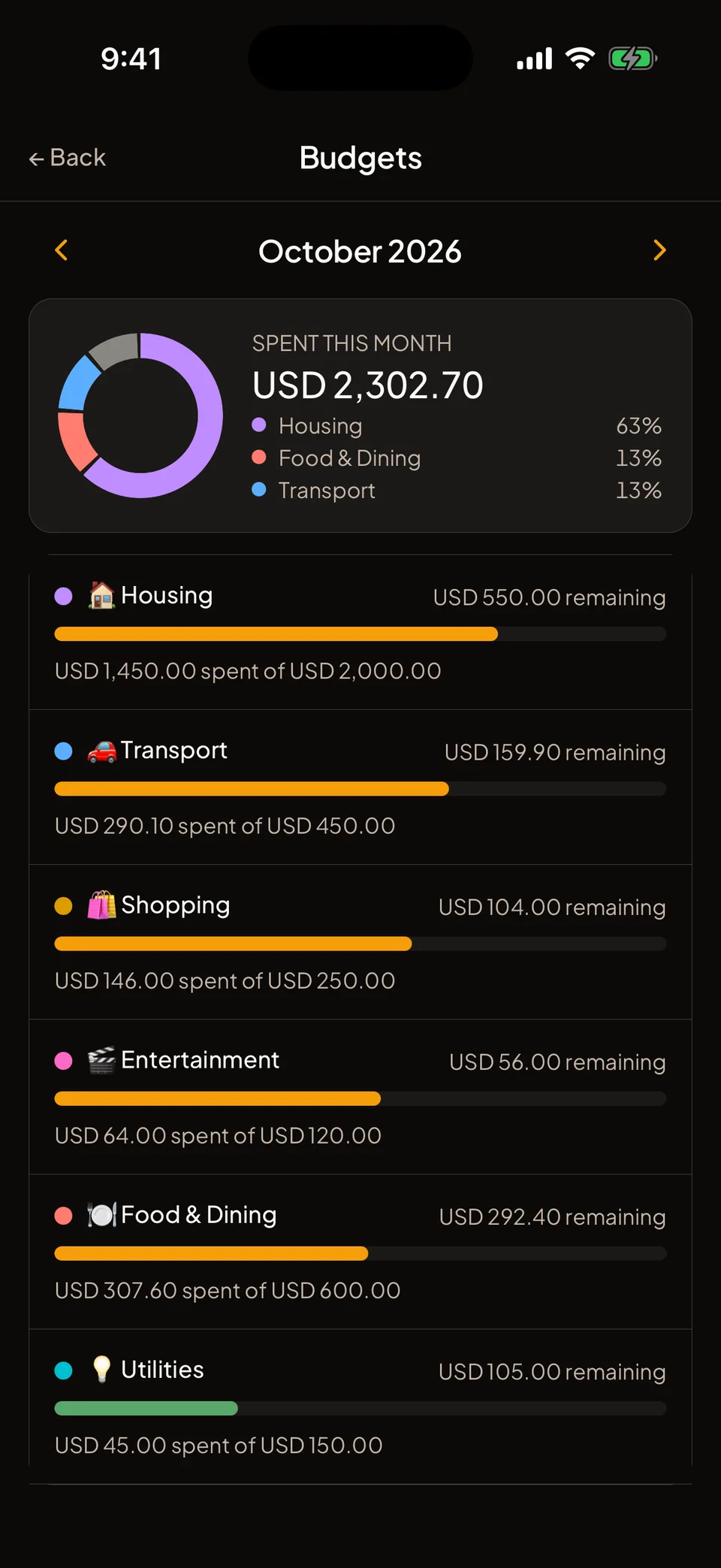
A limit for each category, and a heads-up before you hit it.

Give any category a monthly budget, in one cashbook or across all of them. The bar fills as you spend, and Folko tells you at 75%, 90% and 100%.

  • Roll what you didn’t spend into next month
  • Look back at any earlier month
  • As many budgets as you likeEvery plan
Budgets: six categories, each bar showing what was spent against its monthly limit, all under 75%
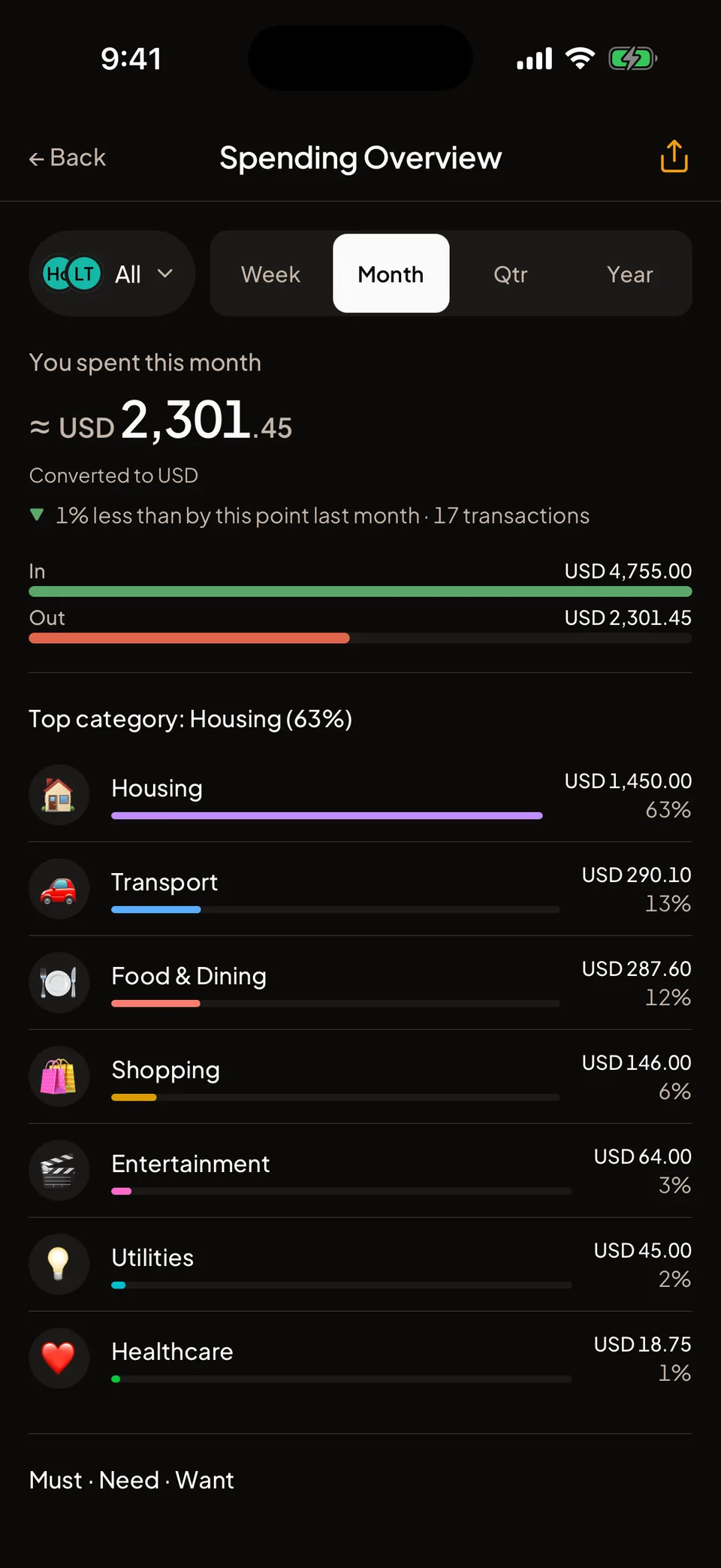
Spending Overview 63% of October went on housing

See exactly where the month went.

Spending Overview breaks the month down by category and by period, and puts last month beside it.

  • By category, week, month, quarter or yearEvery plan
  • Every cashbook together, or one at a time
Spending Overview: the month's spending by category, with each category's share
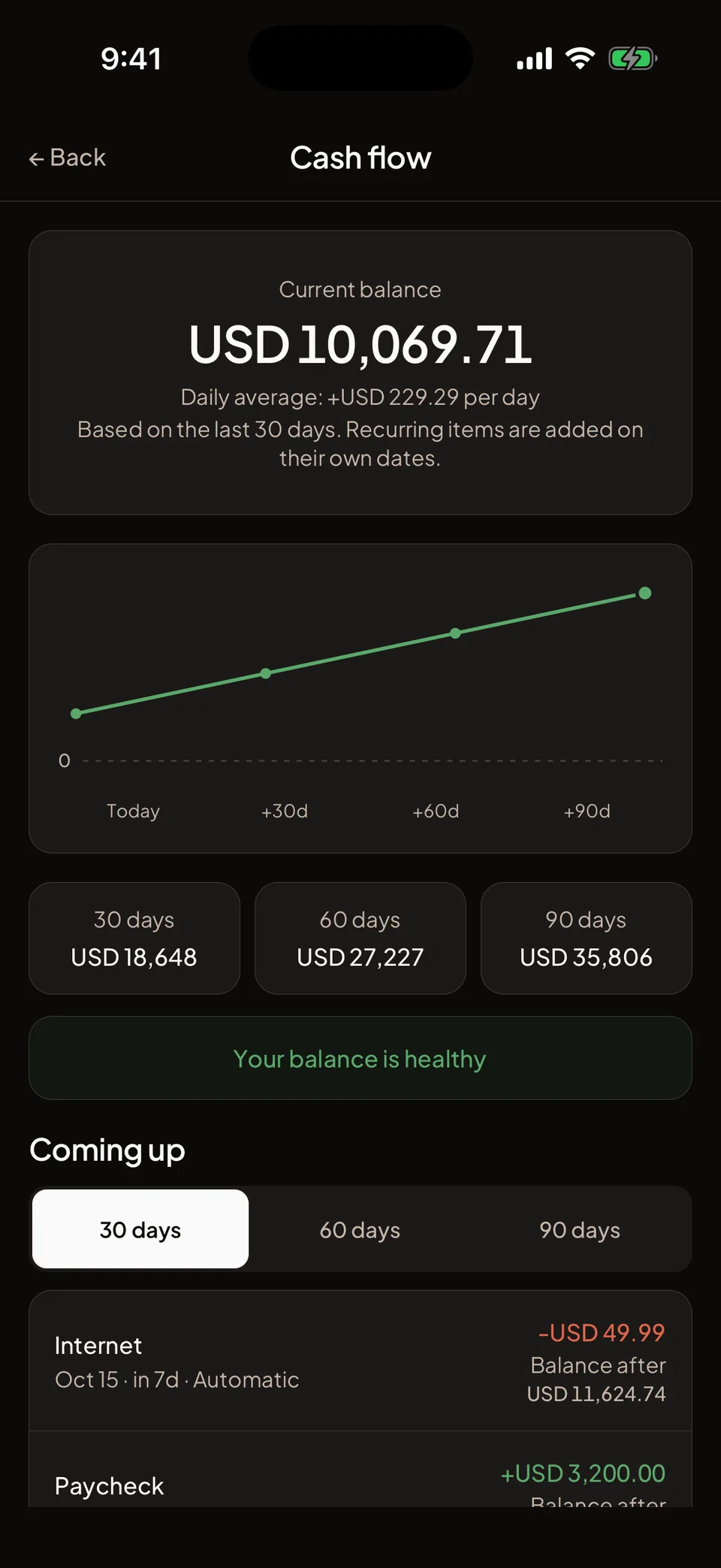
Cash flow +USD229.29 a day on average, over the last 30 days

See where your balance is heading.

Cash flow puts your recurring income and bills on their own dates and projects your balance 30, 60 and 90 days ahead.

  • Cash flow forecast for the next 30, 60 or 90 daysEvery plan
  • Dated forecast timelinePlus
  • The first day your balance would dip below zeroPlus
Cash flow: a balance of 10,069 dollars growing about 229 dollars a day, projected 30, 60 and 90 days ahead, marked healthy
Logging

Money in and money out, on one screen.

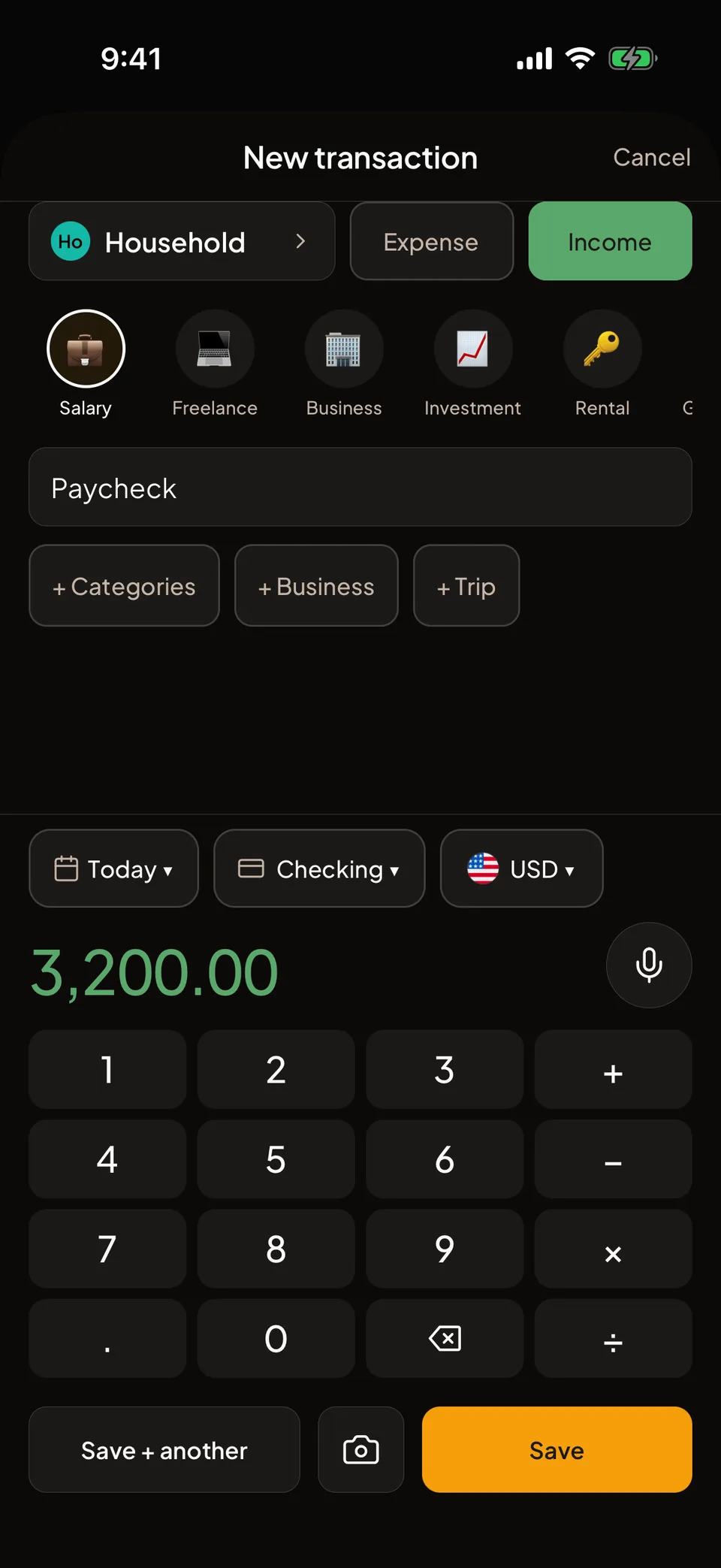
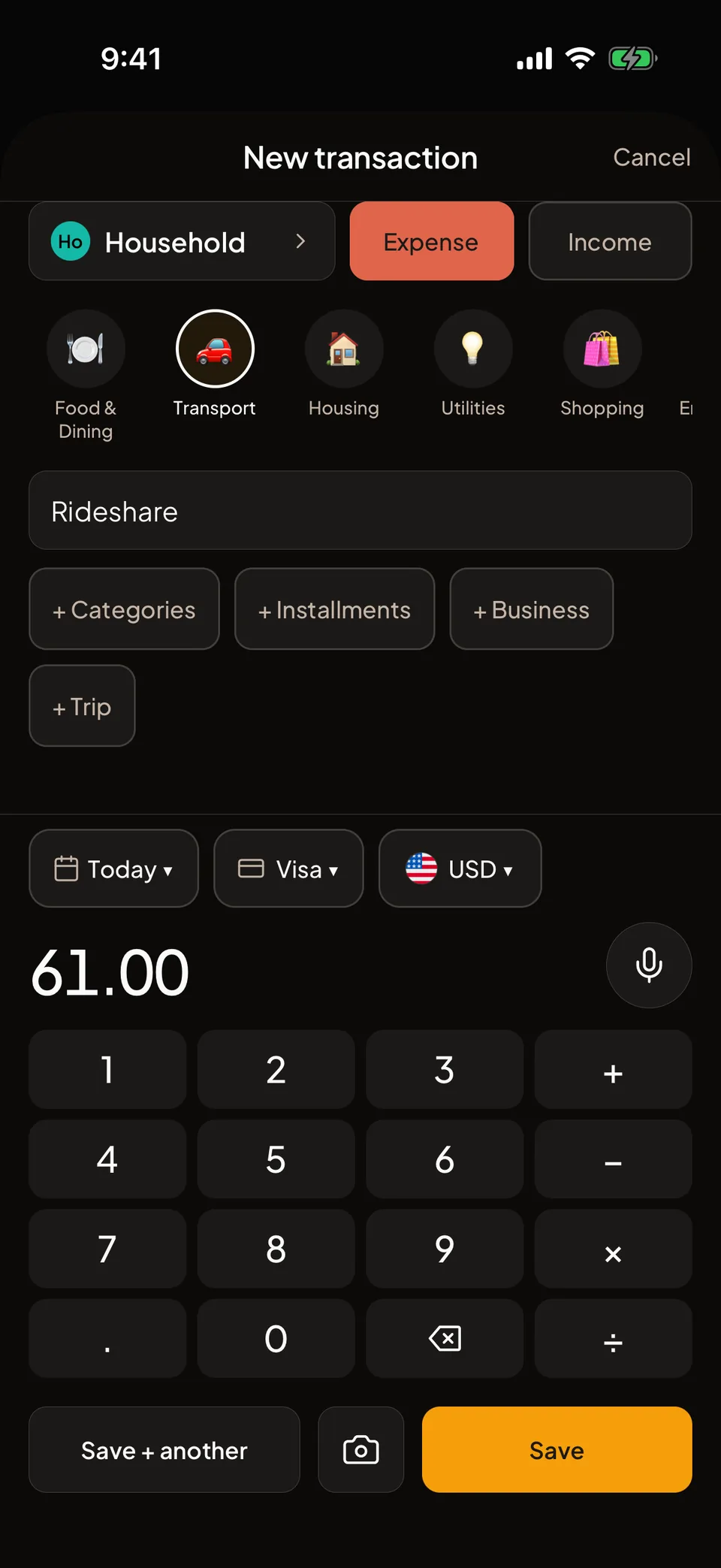
A paycheck or a coffee: choose Income or Expense, a category and the amount, and save. Everything you need is on the first screen.

  • Scan a receipt3 a month on Free
  • Say what you spent3 a month on Free
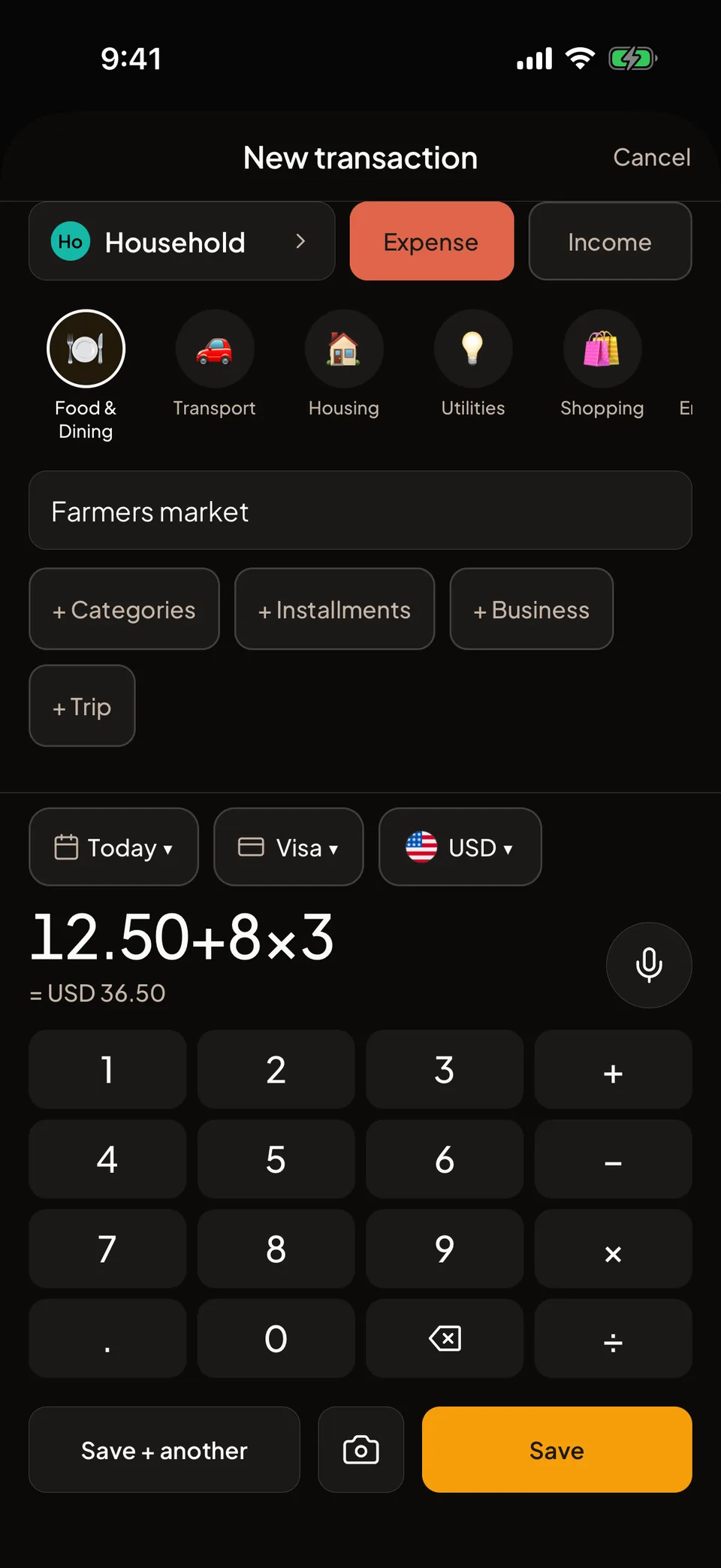
  • Type 12.50 + 8 × 3 straight into the amount
  • Save and add another

Scans and voice entries are unlimited on Plus and Max.

New transaction set to Income: a 3,200 dollar paycheck under Salary, received in a checking account
New transaction with 12.50 + 8 × 3 typed in the amount and the result, 36.50, shown below it
Work mode

Keep work spending apart.

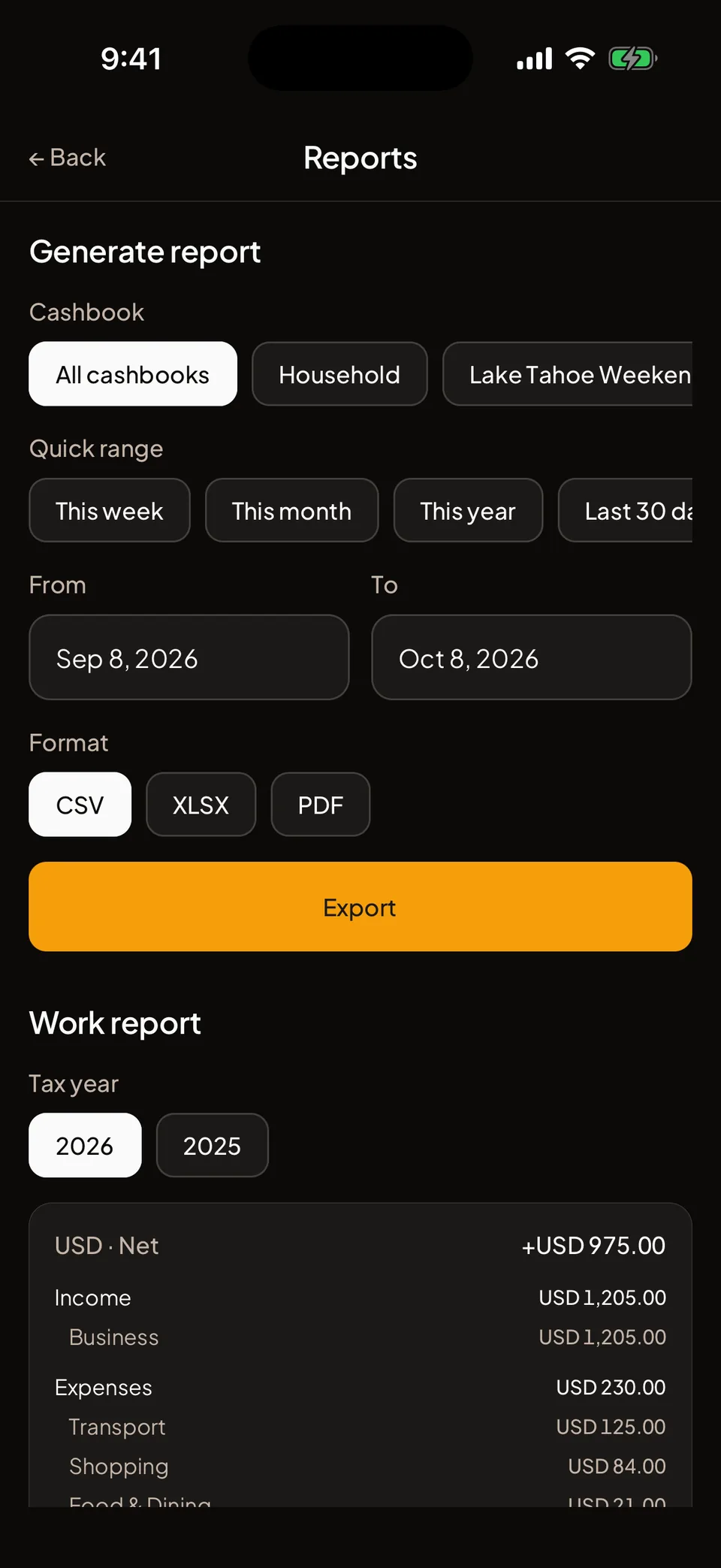
Tag business transactions as you log them, keep a mileage log, and export the tax year when your accountant asks.

  • Tag a transaction as Business when you log it, or later from its detail screen
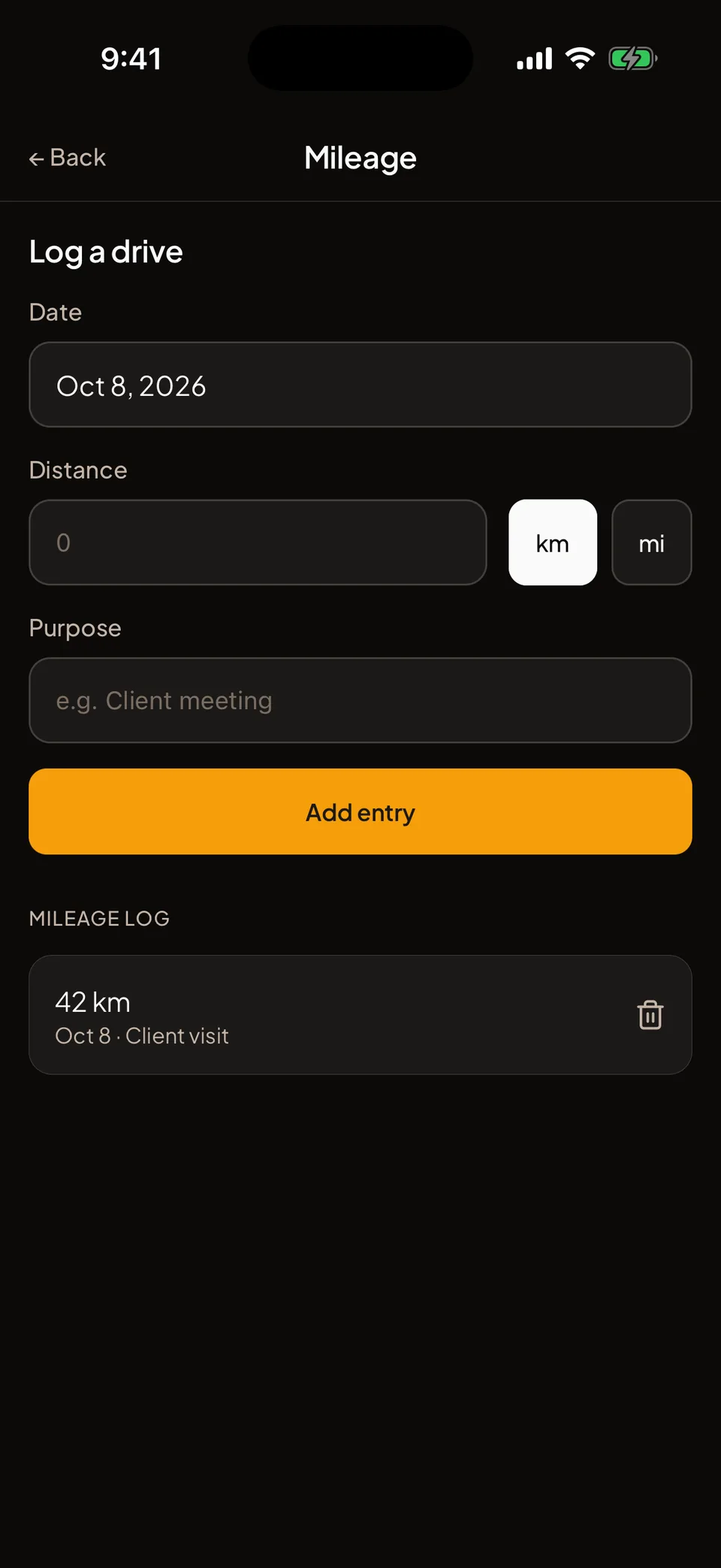
  • A mileage log with the date, distance and purpose of each drive
  • A tax-year report as PDF, Excel or CSV, from the month your tax year starts
  • A record-keeping tool, not tax adviceMax
Reports, Work report: tax year, business expenses by category, the mileage total and an Export business transactions button
Mileage: log a drive with the date, the distance in km or mi and the purpose; a 42 km client visit in the log
Shared cashbooks

Share without the awkwardness.

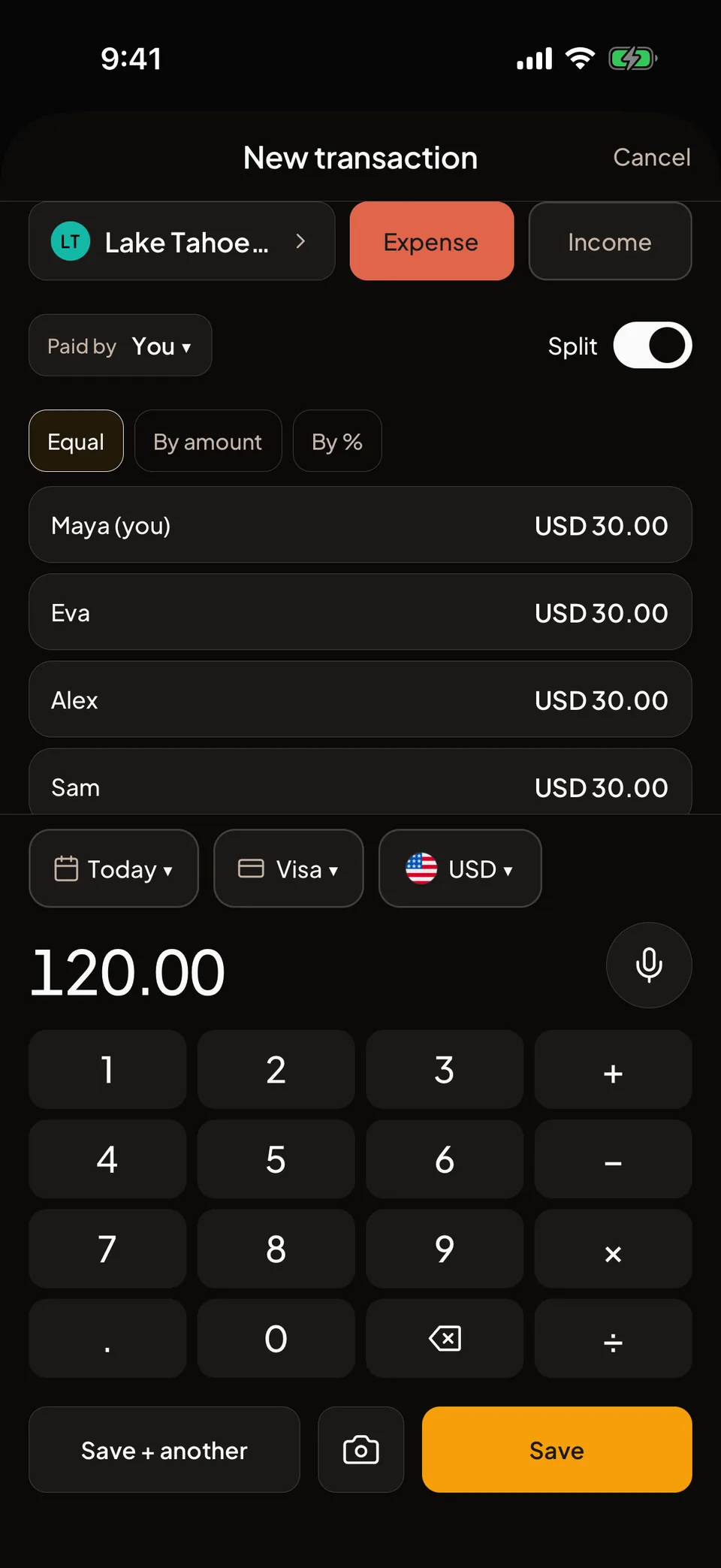
Add members to any cashbook and split each transaction Equal, By amount or By %. Split one receipt across categories, or item by item between the people who had them.

  • People: what each person owes you, across every cashbook
  • First Page: a note at the front of the cashbook that everyone can edit
  • When the owner has Plus or Max, members get that plan’s travel mode, reports and currencies inside the cashbook
New transaction in a shared cashbook: 120 dollars of cabin groceries split equally between four people, 30 each
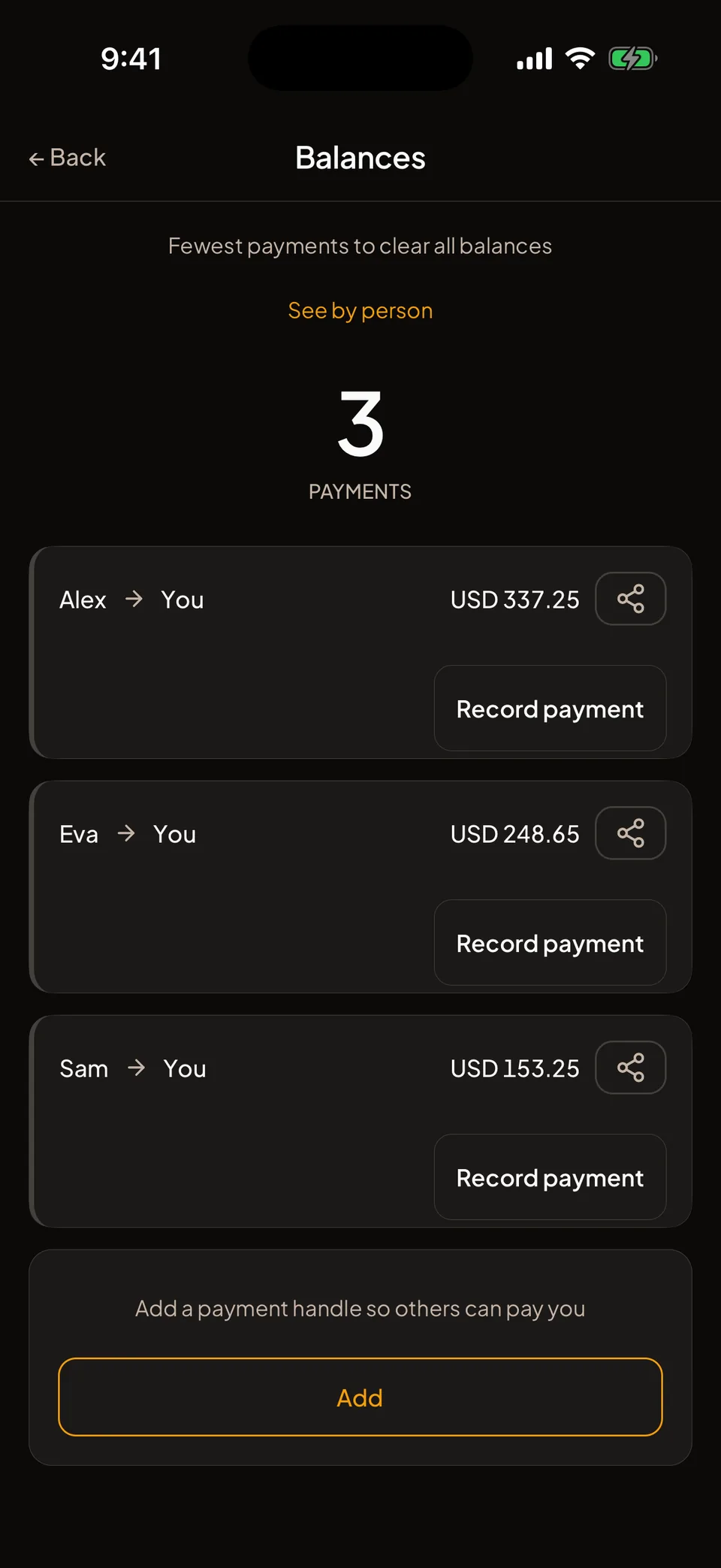
Smart Settle 3 payments clear every balance on the trip

Settle the way you already pay.

Smart Settle works out the fewest payments that clear every balance. Pay back through Pix, UPI, Venmo, Zelle, Mercado Pago, PayPal and more. Folko opens it or copies the details.

Send a settle link to anyone. They see what they owe and how to pay you, without the app.

Pix Mercado Pago SEPA Bizum Revolut Wise UPI Paytm Alipay WeChat Pay M-PESA PayPal Venmo Cash App Zelle Interac Bank transfer Lightning Network USDT
How Smart Settle works and all 19 supported methods
Ana Ben Cy Dee 50 5 5

Example: four friends, eight debtsSmart Settle: three payments

Balances: the fewest payments that clear every balance, with who pays whom
Travel

Trips, and 56 currencies.

Group a trip’s spending inside any cashbook. Log each purchase in the currency you paid, and see it converted at the day’s rate.

  • Trips

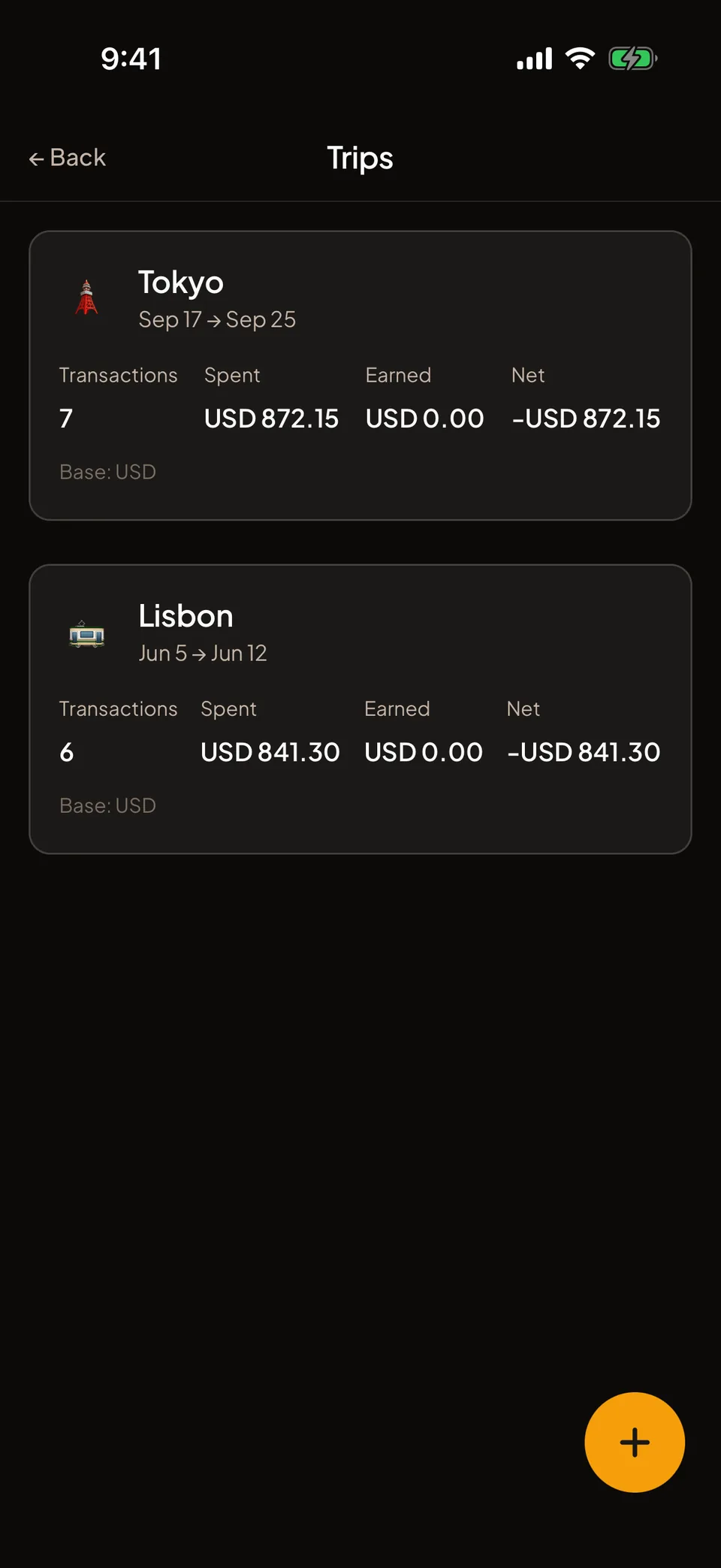
    Name a trip, set its dates, and see what it cost, what came in and the net.

    Plus
  • 56 currencies

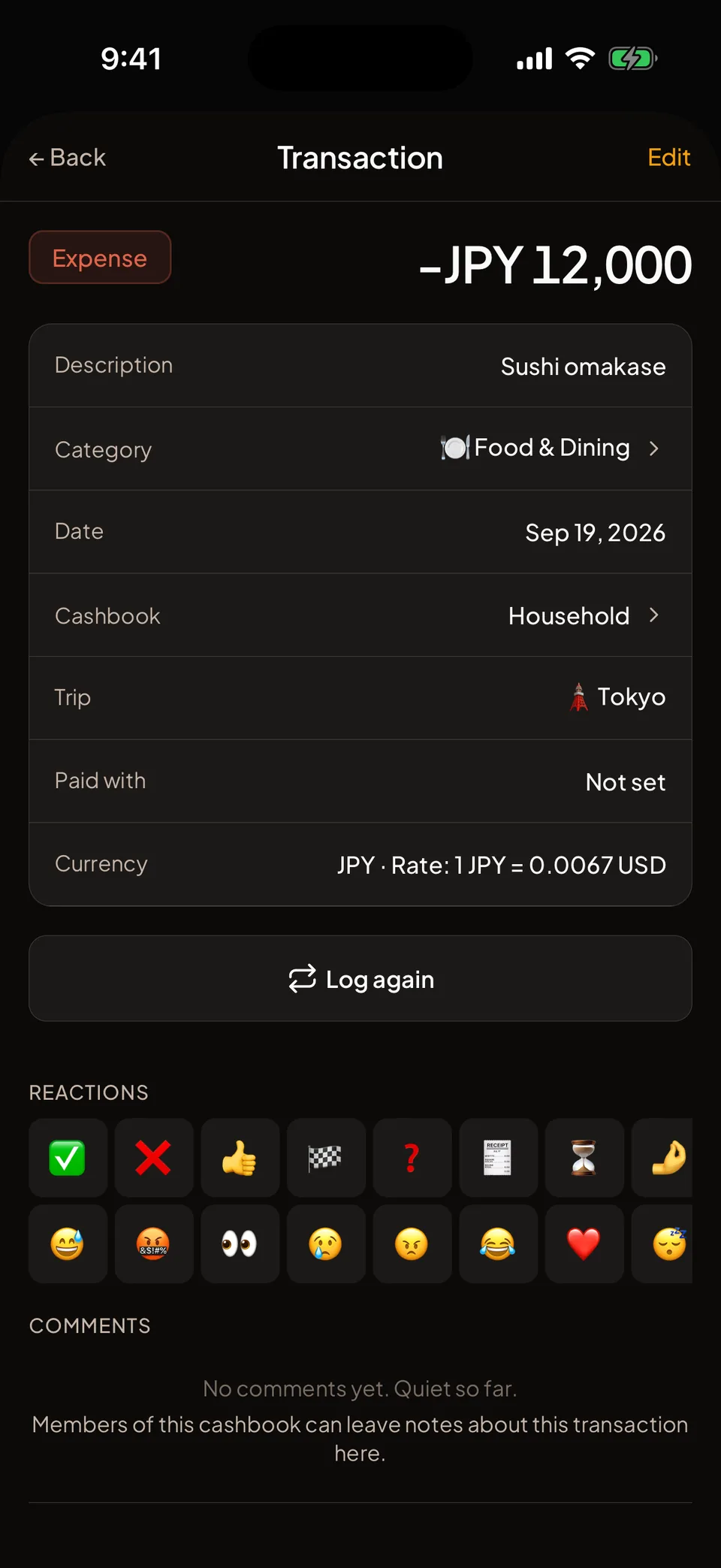
    Each purchase is converted at the rate for its date and keeps it, so a trip’s total never shifts. Free cashbooks hold up to 3 currencies each; Plus and Max have no limit.

  • Cards that bill in more than one currency

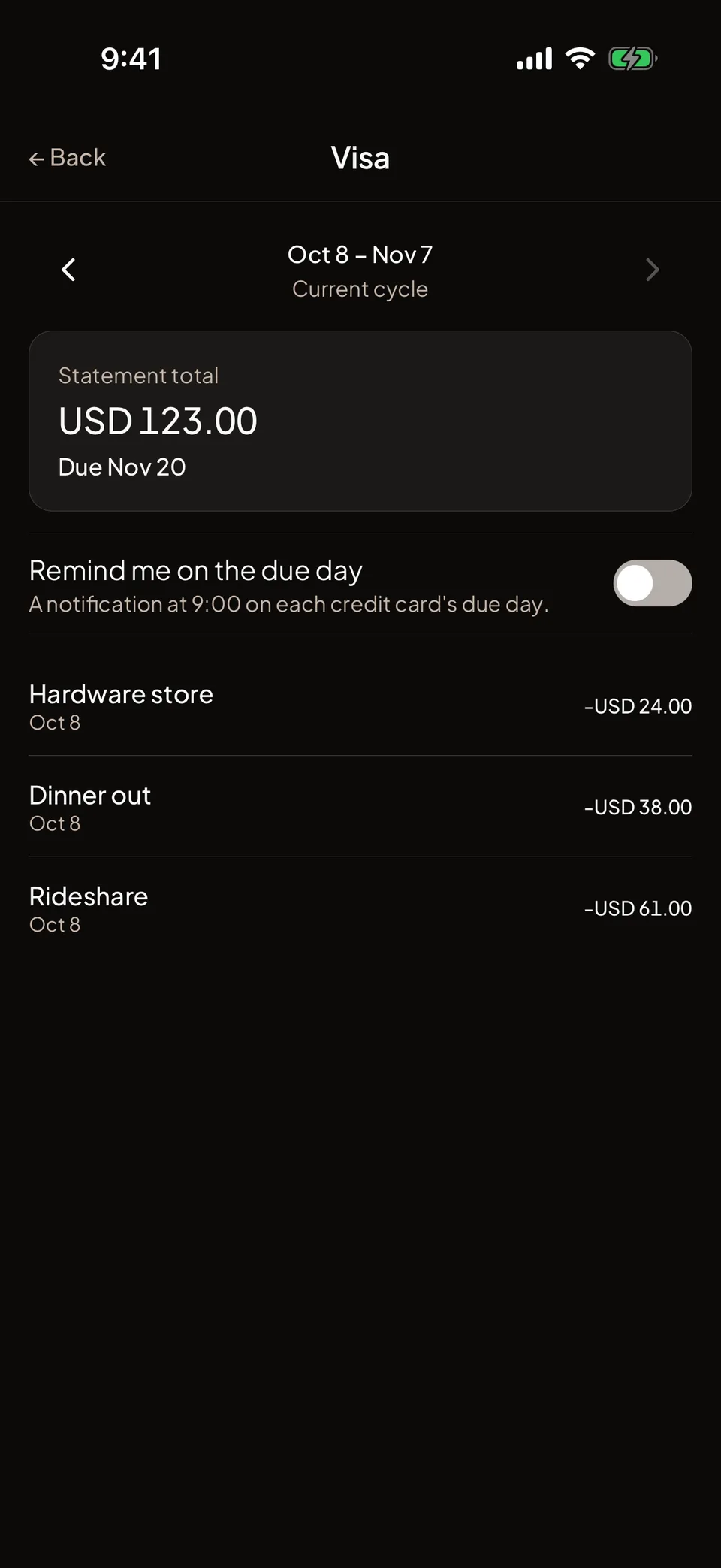
    Each card’s statement shows one total per billed currency.

Trips: the Tokyo trip with its dates, seven transactions and the total spent in dollars.
A transaction on the Tokyo trip: 12,000 yen for sushi, with the rate of that day, 1 JPY = 0.0067 USD.
Loans and net worth

Money you lent, money you borrowed, and the one number that adds it all up.

  • Loans

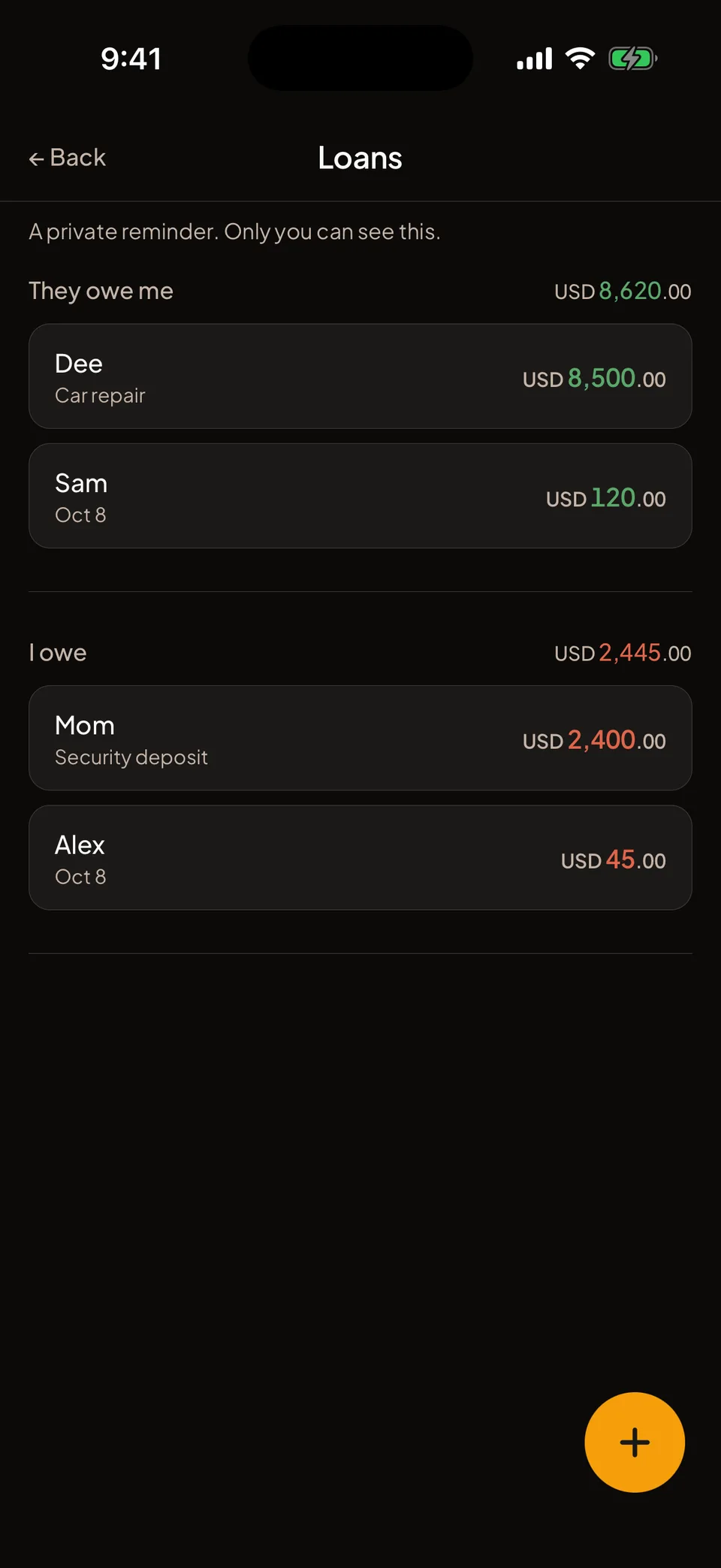
    A private list of what you lent or borrowed, kept apart from any cashbook. Log partial repayments as they come in and see what is left, with totals per currency.

    Every plan
  • Net worth

    Your cashbooks, loans and Bitcoin in one number, with a monthly trend.

    Max
  • Bitcoin with its cost basis

    Track your BTC apart from your cash, with the average entry price.

    Max
Loans: what people owe you and what you owe, with the largest loan, 12,500 dollars, down to 8,500 after repayments.
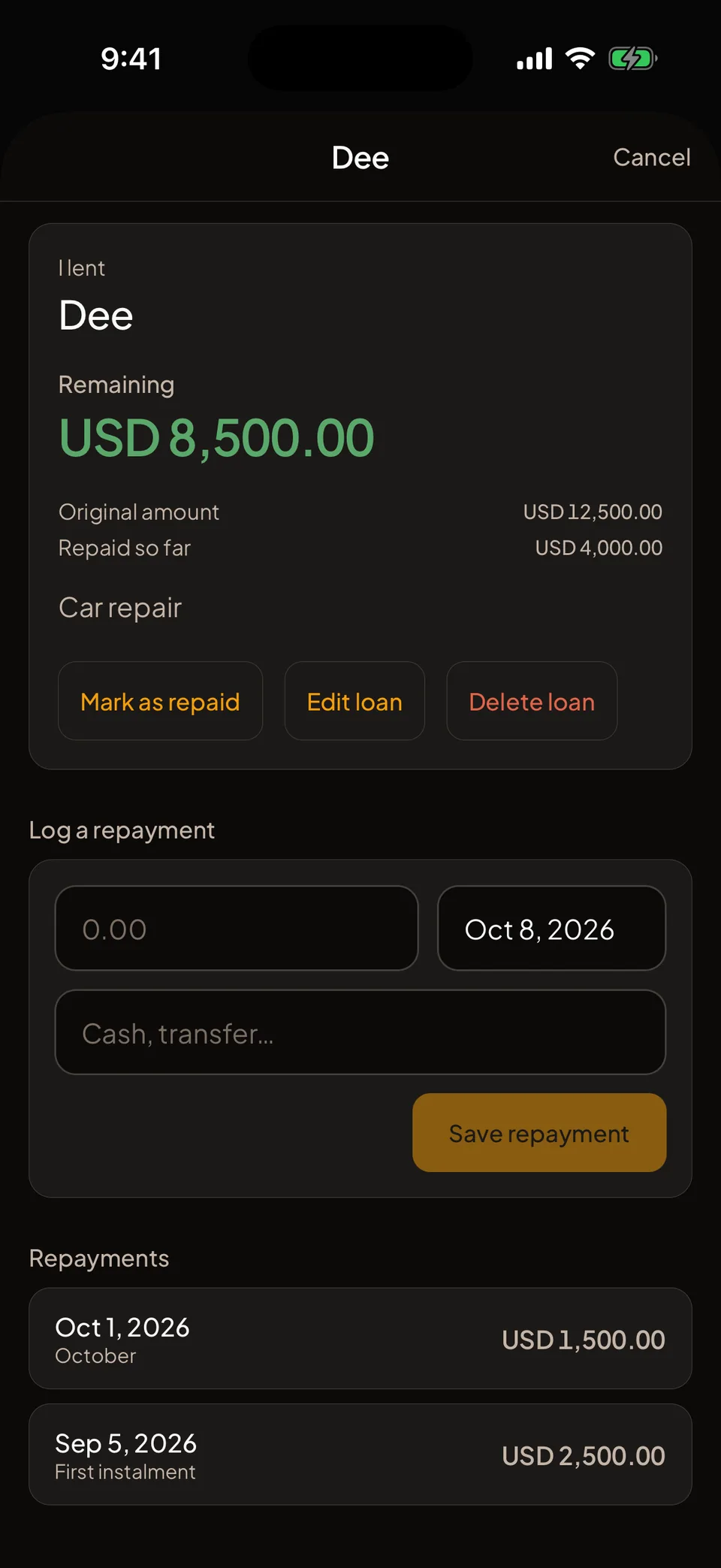
A 12,500 dollar loan with 4,000 repaid in two partial repayments and 8,500 remaining.
Switching

Bring your history.

Import a shared group, balances included, or your own spending history from the file your old app exports. Free on every plan.

  • A shared group

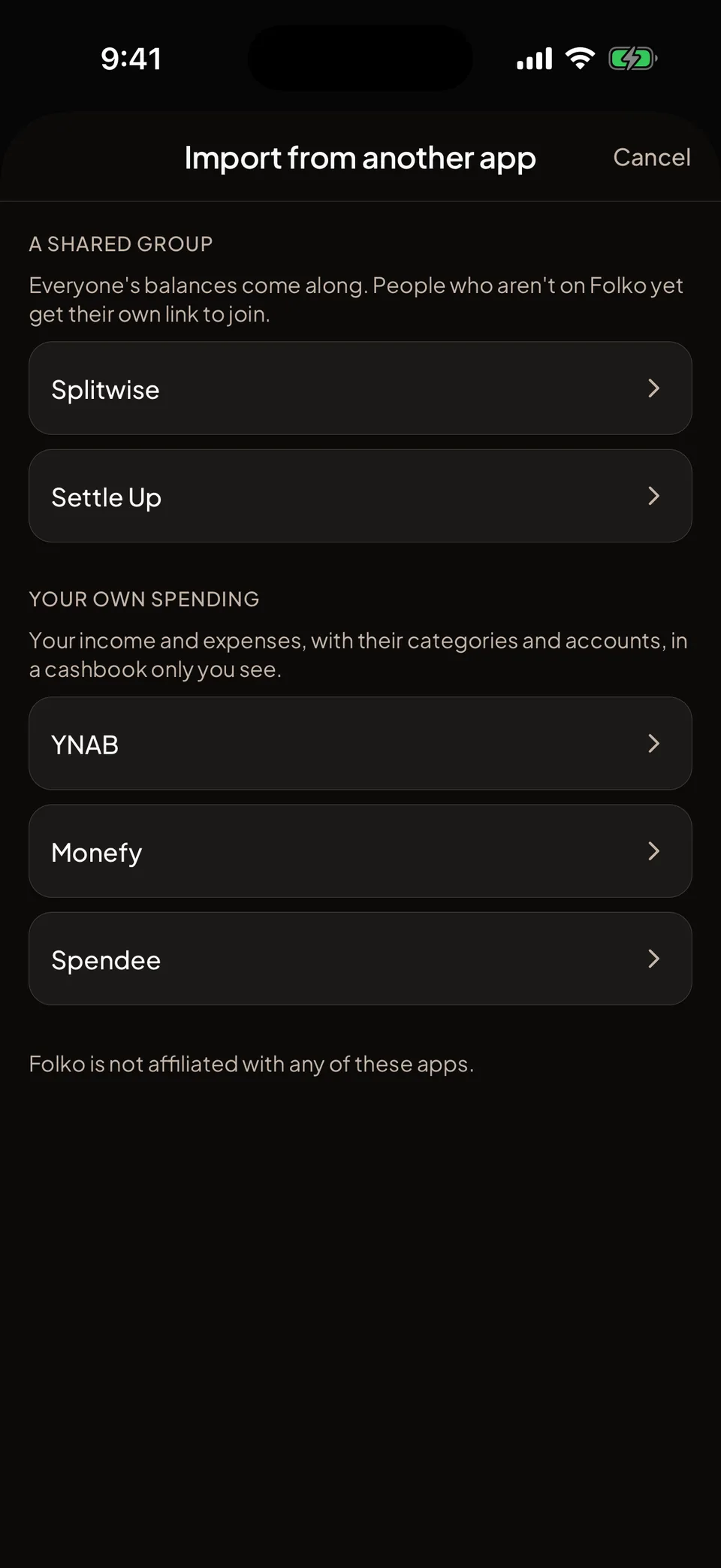
    Splitwise and Settle Up groups become a cashbook with everyone in it, balances included. People who aren’t on Folko yet get their own link to join.

  • Your own spending

    YNAB, Monefy and Spendee exports become a cashbook only you see, with your categories and accounts.

  • Checked before it counts

    Nothing is saved until you confirm, each row keeps its own currency, and Folko checks the balances against the file. Import the same file again and only what’s new is added.

  • Free on every plan

    Importing costs nothing on any plan. Your plan’s cashbook, member and currency limits still apply.

How importing works
Import from another app: a shared group from Splitwise or Settle Up, or your own spending from YNAB, Monefy or Spendee.
Themes

Your flag’s colors, light and dark.

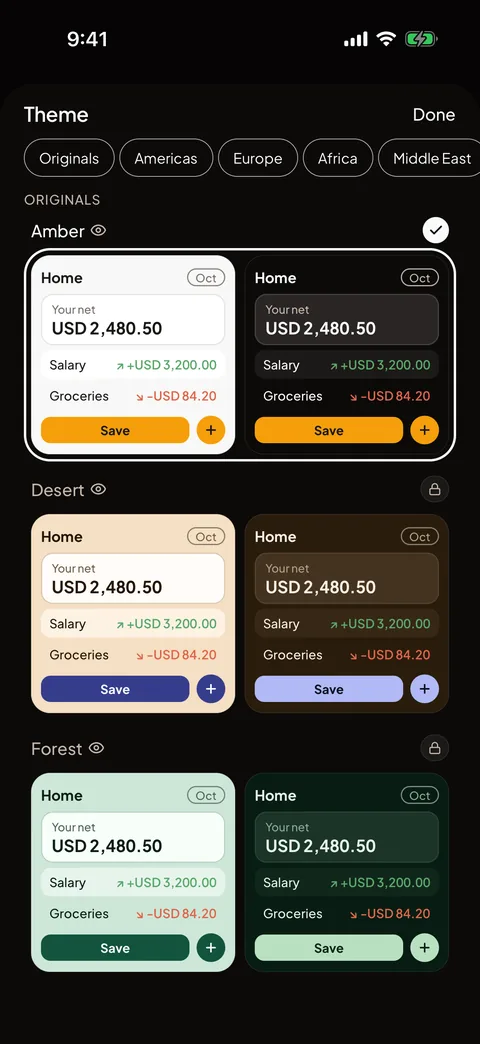
Pick from the Originals or from countries in every region, each with a light and a dark version. Amber is free. The Originals come with Plus. Country themes with Max.

Theme picker, Originals: each theme previewed in light and dark
Compared

Splitters split. Budgeters budget.

Folko does both, in one place, with no cap on free transactions.

Folko Splitwise Tricount YNAB
Personal budgeting ✓ — — ✓
Group expense splitting ✓ ✓ ✓ —
Smart Settle (min. payments) ✓ ✓ ✓ —
Multi-currency ✓ ✓ — —
Receipt scanning (OCR) ✓ ✓ — —
Export (PDF, CSV, Excel) ✓ — ✓ ✓
Unlimited free transactions ✓ — ✓ —
No ads ever ✓ — ✓ ✓

Comparison reflects each product’s free tier and most-marketed features as of 2026. We left out price — comparing dollar figures across yearly and monthly plans tends to mislead more than it helps.

Privacy

Private by default.

  • Sign up with an email and the name you want others to see. No birthday, gender or phone number.
  • App lock, with screenshots blocked while it’s on
  • Works offline and syncs when you’re back
  • Recently deleted, for the transaction you didn’t mean to delete
  • Export everything, any time
  • Delete your account from inside the app
  • No ads. Ever.
Plus and Max

More, when you want it.

Unlimited transactions are free forever. Paying gets you more cashbooks and the extras below, and keeps Folko independent.

  • Work mode

    Tag business transactions, log mileage and export a tax-year report.

    Max
  • Monthly recap

    A short AI summary of last month’s spending. Your first one is free.

    Plus
  • Payment reminders

    Folko reminds members who owe you, so you don’t have to.

    Plus
  • Reports

    PDF and Excel for any cashbook and period. CSV is free on every plan.

    Plus
Pricing

Unlimited transactions. Always.

Track, split, and settle — completely free, forever. Plus and Max unlock power features like reports and unlimited receipt scanning for those who want to go further.

Free

$0 /forever

The essentials. No strings attached.

  • Unlimited transactions
  • 3 cashbooks
  • 4 members per cashbook
  • 3 currencies per cashbook
  • 3 recurring transactions
  • 1 savings goal
  • 3 receipt scans/month
  • 3 voice entries/month
  • Smart Settle & one-screen entry
  • Spending Overview & Cash Flow
  • Budgets & 19 payment rails
  • CSV export
  • Amber theme
  • No ads, no tricks, ever
Notify me at launch

Max

$4.99 /mo

$42/yr (30% off)

Everything in Plus, plus:

  • 50 cashbooks (up from 10)
  • 100 members per cashbook
  • Unlimited savings goals
  • Country themes
  • Net worth tracking
  • Bitcoin portfolio with cost basis
  • Work mode & mileage tracking
Choose Max

Questions

Not here? Try the help center or write to support@folko.io. A person answers.

Does Folko hold or move my money?

No. Folko is a cashbook: it never holds or moves your money, and it never connects to your bank. When you settle up, you pay in the app you already use. Folko opens that app or copies the details for you.

Is Folko free?

Yes, Folko is genuinely free forever with unlimited transactions, no ads, and no tricks. You get 3 cashbooks, 4 members per cashbook, 3 currencies per cashbook, 3 receipt scans/month, one-screen transaction entry, Smart Settle, Spending Overview, Cash Flow forecast, and Budgets for free. Optional Plus ($2.99/mo) and Max ($4.99/mo) tiers unlock more cashbooks, members, unlimited currencies, Travel Mode, reports, unlimited scanning, and extra themes — but the core experience never costs a penny.

Do the people I split with need Folko?

Not to start. Add someone by name and split with them straight away. When they are ready, send them their join link and they take over their own balance. A settle link shows anyone what they owe and how to pay you, without the app.

How does Smart Settle work?

Smart Settle is Folko's algorithm that analyzes all balances in a cashbook and calculates the minimum number of payments needed to settle all debts. Instead of everyone paying everyone, Smart Settle reduces the transactions to the fewest possible. Then you pay through the app you already use — PayPal, Venmo, Pix, UPI, Zelle, or any of 19 supported payment rails — and Folko opens it or copies the details for you.

How does Folko compare to Splitwise?

Splitwise focuses exclusively on group expense splitting. Folko does everything Splitwise does — group splitting, Smart Settle, payment rails — plus full personal budgeting: income tracking, budget goals, Spending Overview charts, and multi-currency support with 56 currencies. Folko also offers unlimited free transactions, while Splitwise limits free users.

Can I bring my history from another app?

Yes. Import a Splitwise or Settle Up group with its balances, or your own spending from a YNAB, Monefy or Spendee export. Nothing is saved until you confirm, and importing is free on every plan.

Does Folko work offline?

Yes. What you log without a connection waits on your phone and syncs when you are back. If something cannot sync, Folko keeps it and shows it so you can try again. Receipt scans, voice entries and imports need a connection.

How does Folko protect my data?

Folko encrypts your data in transit (TLS) and at rest on secure cloud infrastructure. Your account is isolated at the database level, so no other user can access your cashbooks. We never sell your data, never share it with advertisers or data brokers, and only disclose it when legally required. You can export everything as CSV (every plan), or PDF and Excel (Plus and Max) at any time, and delete your account in one tap.

Can I export my data from Folko?

Yes. Everyone can export CSV, and Plus and Max users can also export PDF and Excel (XLSX) reports, for any cashbook and any time period. Your data is always yours — Folko is committed to full data portability.

What payment methods does Folko support?

Folko supports 19 payment rails for settling balances, including PayPal, Venmo, Cash App, Pix, UPI, Zelle, Mercado Pago, SEPA, Interac and Bizum. Folko does not process payments directly — it opens your payment app or copies the payment details for you.

What is the difference between Folko free and paid tiers?

Free Folko includes 3 cashbooks, 4 members per cashbook, 3 currencies per cashbook, unlimited transactions, 3 recurring transactions, 3 receipt scans/month, 1 savings goal, one-screen transaction entry, Smart Settle, Spending Overview, Cash Flow forecast, Budgets, and 19 payment rails. Plus ($2.99/mo or $25/yr) adds 10 cashbooks, 30 members, unlimited currencies, unlimited recurring transactions, unlimited receipt scanning, 5 savings goals, PDF/Excel reports, every Original theme (country themes come with Max), and Travel Mode (Trips). Max ($4.99/mo or $42/yr) adds 50 cashbooks, 100 members, unlimited savings goals, and a Bitcoin portfolio with weighted-average cost basis. CSV export is included on every plan.

What is Folko?

Folko is a free finance app that combines personal budgeting with group expense splitting in one app. Unlike apps that only do one or the other, Folko lets you track your income, manage expenses across multiple cashbooks, visualize your spending with charts, and split shared costs with anyone — all in one place.
Coming to iOS and Android.

Free forever. Send us a note and we’ll write back the day it’s out.

Notify me at launch