A budget and savings goal app that follows what you log.
Set a monthly limit for a category, or a target to save by a date. Folko measures both from the Transactions you already log, so there is nothing to update by hand. Budgets are free on every plan.
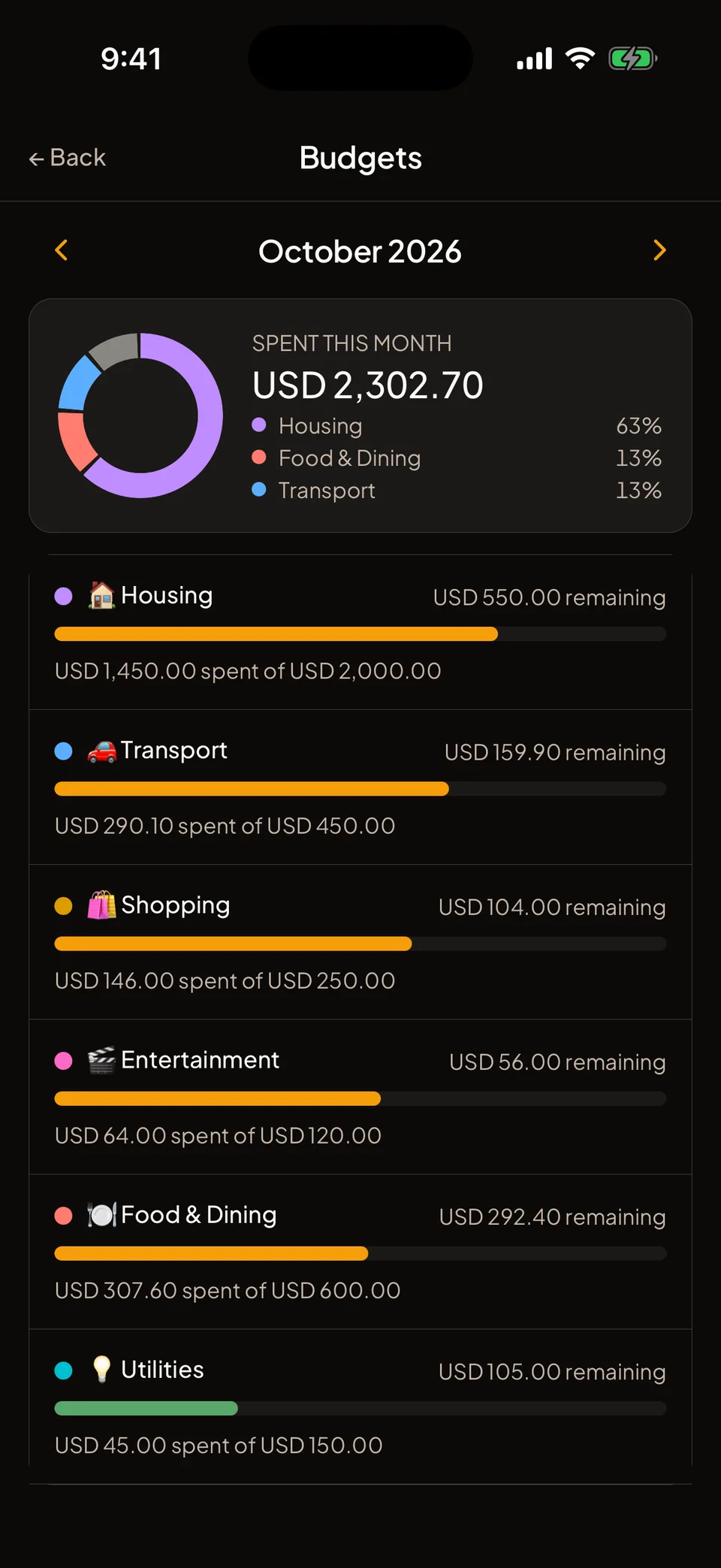
How do I set a monthly budget?
Open Budgets and tap Add budget
Budgets is a shortcut on Home. A budget is a monthly limit for one category.
Choose where it applies
Pick All cashbooks for one overall limit, or a single cashbook to budget it separately.
Pick the category, currency and amount
Choose the category, the currency and the Monthly amount, then save.
Keep logging
The bar fills as you spend. Home shows a card when a budget passes 75%. Use the arrows to look at earlier months.
What happens when the month ends?
Each budget has a switch called Roll over unspent. It is on when you create a budget. When it is on, whatever you did not spend carries into the next month, and the budget shows it as a rollover amount.
A budget counts spending in its own currency only. If you spend in several currencies, make one budget for each. If last month’s limit was in another currency, there is no rollover into the new one, and the budget says so.
Folko notifies you at 75%, 90% and 100% of a limit. You can turn these off under Profile, Notifications, Budget alerts.
There is no limit on how many budgets you can have, and budgets need no paid plan.
How does a savings goal know what I saved?
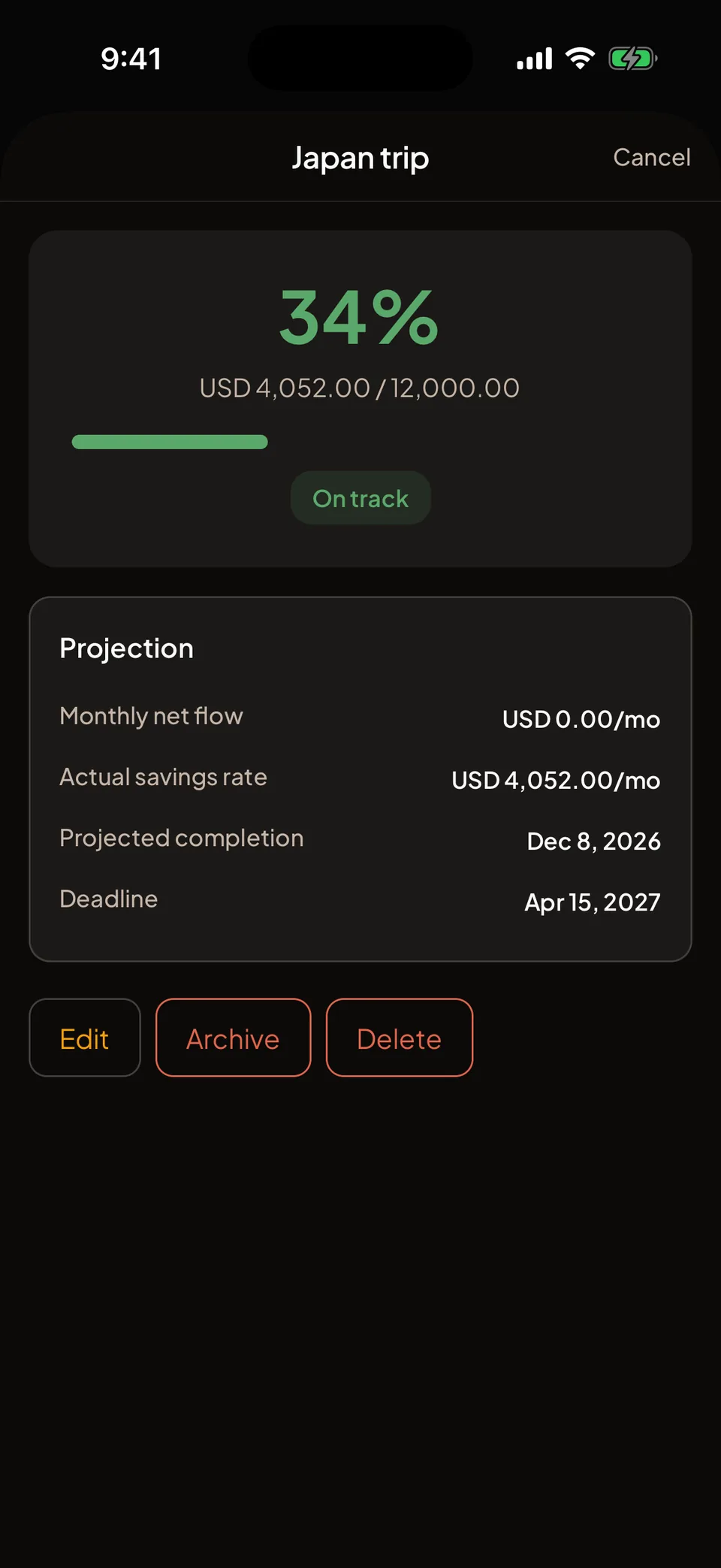
A savings goal shows how close you are to a target by a date. Progress is what you save, which is income minus expenses, in the cashbooks you link to the goal. It counts from the day you create it.
To start one, open the Savings goals shortcut and tap New savings goal. Name it, set how much you need and the currency, choose a target date, and pick at least one cashbook that counts toward it. You can link several. You can also start a goal from a cashbook’s menu.
There is nothing to transfer. Keep logging as usual and the goal moves by itself. Its page shows whether you are on track and when you should get there. At 100% you can tap Mark complete. Goals you archive stay under Profile, Archived savings goals.
What does each plan include?
Budgets are free on every plan. Savings goals are limited by how many active goals you can have at once: Free includes 1, Plus includes 5, and Max has no limit.
Unlimited Transactions stay free on every plan, so a budget never stops counting because you reached a cap.
Budgets and savings goals, answered.
Do budgets cost anything?
No. Budgets are free on every plan, with no limit on how many you set.
How many savings goals can I have?
Free includes 1 active goal, Plus includes 5 and Max has no limit.
Does unspent budget carry over to the next month?
Yes, if Roll over unspent is on. What is left carries into next month. It is on by default and you can switch it off for each budget.
Can I budget in more than one currency?
Yes, with one budget for each currency. A budget only counts spending in its own currency, so a second currency needs its own budget.
Coming to iOS and Android.
Free forever. Send us a note and we’ll write back the day it’s out.
Notify me at launch